Showing posts with label Windows Server 2008 R2. Show all posts

Hosting ASP.Net Site in IIS in Windows Server 2008 R2

I am posting this post since I had some problems while hosting a site in IIS in Windows Server 2008 R2.

To add a web site in IIS, right click on Sites in the IIS Manager and select Add Web Site as shown in the below figure.


Then you will get the Add Web Site window as shown below and enter the required details.


Physical Path should be the folder which contains the web site files and it should locate inside the C:\inetpub\wwwroot\wss\VirtualDirectories folder.

Then click Ok to complete it.
But if you try to browse the site, it will give you an error.

To avoid it and browse the web site you need to do two things.
First one is, add the IIS_IUSRS and allow full permission. To do it right click on the site and select Edit Permission as shown in the below figure.


Then go to the Security tab in the new window and add the IIS_IUSRS user and allow Full Control. Then click Ok.

Still you cannot view the page because of an authorization error.

To avoid it you need to do the second thing.
Select the site and you will get a screen as below.


Then double click on Authentication and you can see enabled authentication types. In that Windows Authentication is displayed as Disabled. Right click on it select Enable as shown in below figure.


It will fix the authentication error and you will be able to browse the web site...

Enabling Java scripts and Ajax in IE for Windows Server 2008 R2

I had a problem while run the PerformancePoint Server 2007 Dashboard Designer using Internet Explorer in Windows Server 2008 R2. That is the Run button and the Go button are not visible for the Dashboard Designer page.
Also I had some problems for the SharePoint Server 2007 in the same OS and with the same browser. In sharepoint, those javascripts were not working.

Those errors occurs due to the security settings provided by the OS.
To solve those issues go to the Server Manager.
Then as shown in the below figure, you can find Configure IE ESC under the Security Information.


Click on it and select Off form those selections as shown in the below figure.


Then click Ok and check your sites.
It will works...

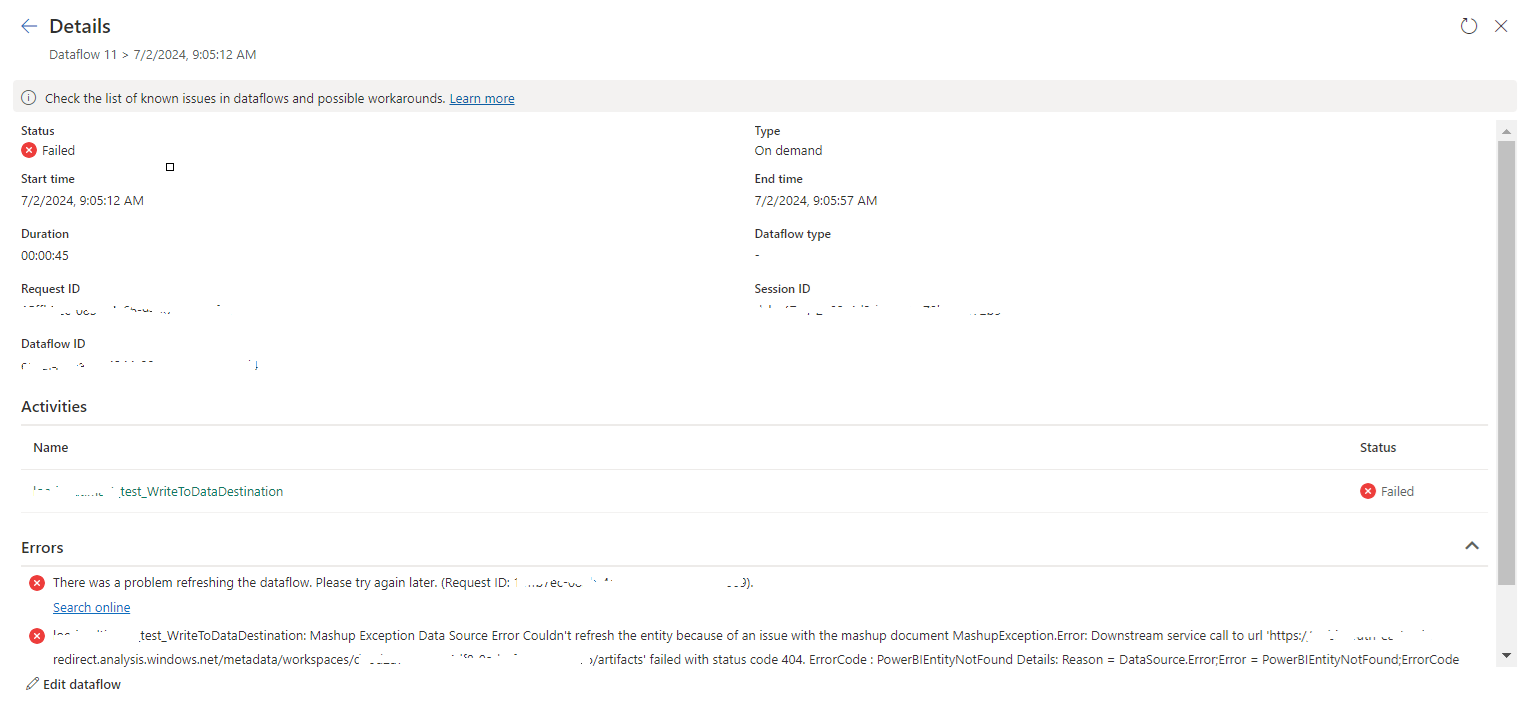
tablename_WriteToDataDestination: Mashup Exception Data Source Error Couldn't refresh the entity...

 Once a Dataflow is created and published on Fabric, got the below error while refreshing the Dataflow. tablename_ WriteToDataDestination: M...